Use a blank handover plan, filled example, and steps for missing results, backup coverage, and recovery of waiting work.
The owner of a small studio is leaving for a week. An internal report is assembled each morning, inquiries arrive from a form, and another workflow prepares customer messages. All three can start on their own. They still need different arrangements during the owner’s absence.
A colleague may be able to check the internal report. A customer message may need to remain a draft until someone approves it. If nobody can handle an exception, pausing that step and arranging an alternative can be the sensible choice.
This guide is for someone who knows what their automations do and can work with their maintainer. You will prepare a handover plan covering responsibility, checks, and recovery after your return. You do not need a new tool or an AI agent to do this.
Start with one shared plan
Open the blank handover plan beside the filled fictional example. Both can be printed and each links to a CSV for a spreadsheet. Keep your working copy where the team already documents its processes. Use one row per automation, rather than one per application.
First record the absence dates, time zone, and the person who handles exceptions if the primary cover is unavailable. For each row, add the workflow link, source of new inputs, and location of the finished output. Keep passwords and secret keys out of the plan.
“The scenario in our automation tool” tells a colleague very little. “By 9:00 each workday, a summary of new inquiries appears in the team folder” explains what to look for. Add how to check it: for example, inquiry counts and identifiers must match the original source. An existing file or a green execution status does not establish a correct result.
Choose what can continue
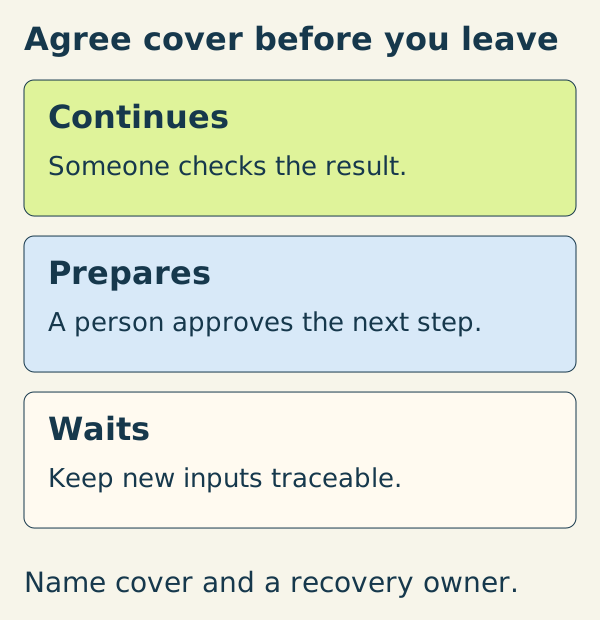
| Arrangement | When it fits | What needs to be agreed |
|---|---|---|
| Continues | The result does not need your ongoing decisions. | Who checks it, when and where, and how missing work is replaced. |
| Prepares but does not act | Gathering material or drafting is useful, but the next step needs a person. | Where drafts wait and who may approve or send them. |
| Waits | Nobody can take responsibility for an error or the resulting decision. | Which step stops, where new inputs remain, and who handles them another way. |
These are operating arrangements. Your tool may not support pausing only the final step. If preparation cannot be reliably separated from sending, have the maintainer prepare and verify a safe variant before you leave. Otherwise pause the affected workflow and assign its preparation work to a person as well.
Pausing automation does not stop clients from writing. For urgent work, name an available colleague and a real alternative channel. Do not leave inquiries unanswered for a week just because an automated step is waiting.
Name a person and a check time
The colleague must accept the handover. Adding their name to a document is insufficient. Agree the work, coverage hours, and backup contact. Do not promise monitoring outside the hours someone actually covers.
In the fictional studio, the absence runs Monday through Friday, October 12–16, 2026. The US example uses America/New_York times. Alex covers ordinary checks, and Robin handles technical exceptions during agreed working hours.
| Work | Arrangement and check | If something is wrong |
|---|---|---|
| Morning summary | Continues; Alex checks today’s date, completeness, and source agreement at 9:15 each workday. | If missing or incorrect, Alex prepares a manual summary and gives Robin the execution link. |
| Incoming inquiries | Collection continues; Alex compares the form with the tracker at 10:00 and 15:00 and takes new cases. | Search for a missing item by source ID before adding it manually. |
| Customer messages | Drafting continues; Alex reviews the queue at 14:00. Sending waits for an authorized person. | Handle an urgent reply manually within permission and record its ID. Other drafts wait. |
This is a fictional plan, not evidence of a company’s operations. Locations in the worksheet are descriptions to replace, not working company systems. Choose your own times and frequency according to the expected work and acceptable delay.
Test the handover from the colleague’s account
Before you leave, the colleague uses their approved account to open the plan, source, latest output, and execution record. Check the permitted intervention too. If they lack access or capacity, the handover is incomplete: resolve the specific gap through the normal process or choose another arrangement. Do not share the owner’s password.
With the maintainer, walk through three cases using fictional data or a separate test copy: a correct result; an expected result that is missing; an uncertain write that may already have happened. Record the actual observed result and evidence for each. A blank field means unverified, not passed. There is no need to deliberately break production or send messages to clients.
Agree the intervention boundary. Alex might escalate to Robin and pause predefined sending, but may not change recipients or repeat writes in bulk. An uncertain result is checked in the destination first. Safe retries explain why a retry button is insufficient. For expected work that never appears, use missing-run detection; do not rely solely on an error email.
Check what the platform actually pauses
Have the maintainer record the exact control, state after the change, time, and verification method. First identify running executions, waiting inputs, and automatic retries. An unresolved queue is part of the handover; changing a schedule alone does not settle its state.
In Make, the ON/OFF control on the scenario details page governs scheduled execution. An inactive scenario can still be started manually with Run once; OFF alone does not establish that every execution route is blocked. See active and inactive scenarios. Check incomplete executions and retries separately; storing incomplete executions is disabled by default. Execution history is not necessarily a complete queue of incoming work.
Current n8n separates saved changes from the published version. Unpublish removes a workflow from production; on recovery, check the published version and trigger status. See saving and publishing in n8n. These controls alone do not establish what a running execution or another entry route has already done.
This orientation follows documentation checked October 10, 2026, rather than a test of your account. Verify your installed version and permissions. This guide does not change your service configuration.
Reconcile waiting work before restarting
Before resuming, establish what arrived during the pause, what was handled, and what remains uncertain. Compare source IDs with actual destination results and the colleague’s manual-work record. Do not infer completion from execution counts.
In the example, messages for P-101, P-102, and P-103 are waiting. Alex already replied manually to P-102: exclude that case from another send. For P-103, sending is uncertain: check the destination first and hold it for investigation if the result remains unknown. P-101 can be the first small case after checking the current material and permission. Restarting the entire queue could send a second reply to P-102.
A named person resumes work at an agreed time when they can inspect the first actual result. Only then expand the scope and close remaining exceptions. The colleague covering stays responsible until the returning owner confirms they have taken the work back. If settings need changing, use the configuration change and recovery procedure.
A complete plan gives every row an arrangement, accepted coverage, check time and location, intervention boundary, and recovery procedure. Start with the most consequential automation and add others according to the impact of failure. Give an unresolved row a specific response rather than switching off everything without checking its role.